Standard chord recognition
Build a clear visual and physical memory of selected chord types, root-note groups, and detected keyboard answers.
24Piano presents chords and inversions as focused flashcards with clear detected-note feedback. Students can use Standard chord practice or Two-Hand Flow, where the app asks for a left-hand chord with right-hand root, then the reverse pattern.
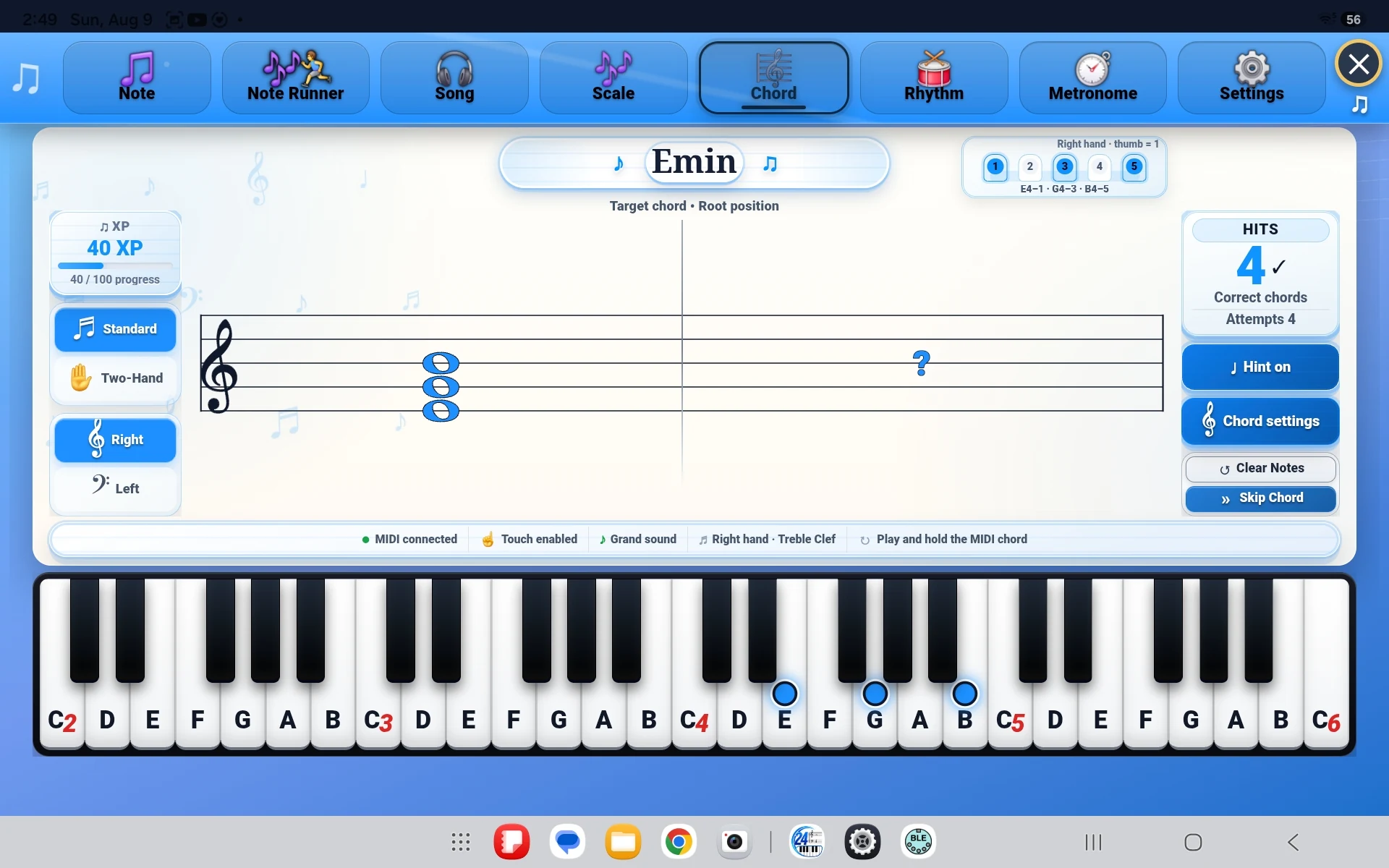
Chord practice becomes more useful when students can recognize related shapes, not just memorize a single position. The flashcard flow keeps that comparison simple and repeatable.
Build a clear visual and physical memory of selected chord types, root-note groups, and detected keyboard answers.
Practise coordinated prompts that alternate between left-hand chord/right-hand root and left-hand root/right-hand chord.
One prompt at a time keeps practice focused while quick responses help maintain momentum.
The goal is not only to name a chord. It is to build a faster connection between notation, keyboard shape, and the way a chord changes when its notes are rearranged.
A single flashcard keeps the requested voicing easy to see.
Respond with touch or a compatible MIDI keyboard while 24Piano detects the notes being held.
Repeat related positions and build stronger pattern recognition.
24Piano gives students extra repetition while their teacher, book, or course provides the broader musical context.
An inversion uses the same chord tones in a different order. Practising inversions helps students recognize related shapes and move between voicings more confidently.
No. It is a focused recognition and keyboard-response tool designed to support the theory and repertoire a student is already learning.
Flashcards keep one shape on screen at a time, which makes it easier to compare, respond, and repeat without unrelated information competing for attention.
24Piano supports touch input, compatible USB MIDI keyboards, and compatible Bluetooth MIDI setups where the device supports them.