Read music faster. Play with more confidence.

24Piano gives students short, clear exercises for notes, chords, inversions, rhythm, and scales—without the clutter of a full song-learning app.

Notes Chords Inversions Rhythm Scales
24Piano Practice ready
24Piano logo with piano keys and musical notation
Touch USB MIDI Bluetooth MIDI
Simple by design Choose one skill and start practicing.
Made for real keyboards Use touch, USB MIDI, or compatible Bluetooth MIDI.
One-time purchase Updates included while the current app is supported.
Website update

24Piano is growing.

We’re preparing new practice activities, images, and product information. Some sections of the website are still being completed.

Keep the piano, teacher, book, or lessons you already have.

24Piano works beside the learning you already have. Open one focused activity, practise for a few minutes, and return to your music with a quicker, more confident response.

  • Use your own instrumentPiano, keyboard, MIDI controller, or touch input.
  • Focus on one skillNotes, chords, runners, rhythm, or scales.
  • Build reading confidenceShort repetition for speed and pattern recognition.

One skill at a time.
Clear progress every day.

Each mode keeps the task clear. Flashcard-style note and chord practice supports quick, focused repetition, while runners, rhythm, and scales add movement, timing, and pattern work.

Flashcard-style focus: Notes and chords appear one prompt at a time, making repetition feel quick, clear, and game-like.

FocusedQuickGame-like
01 Flashcard practice

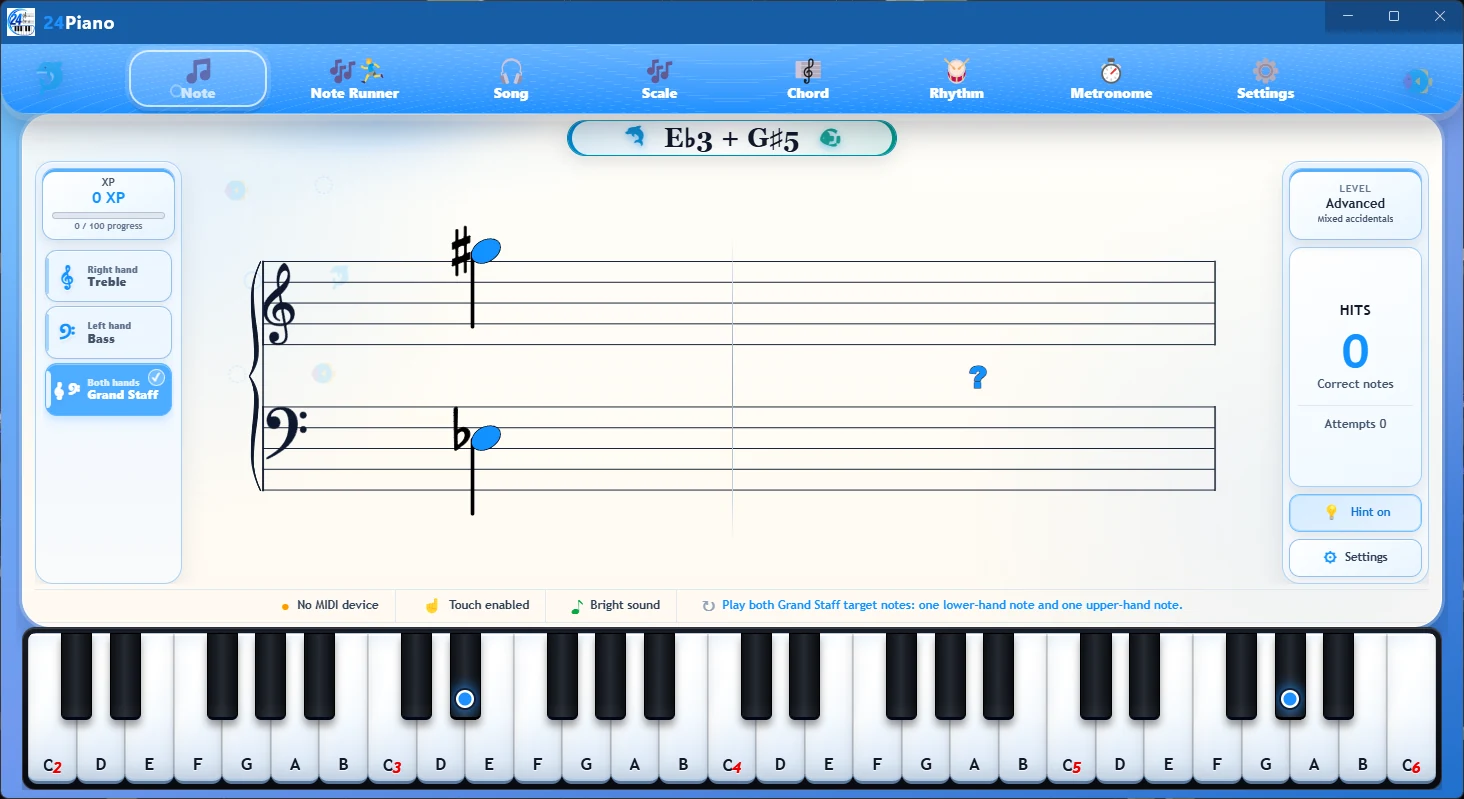
Note Trainer

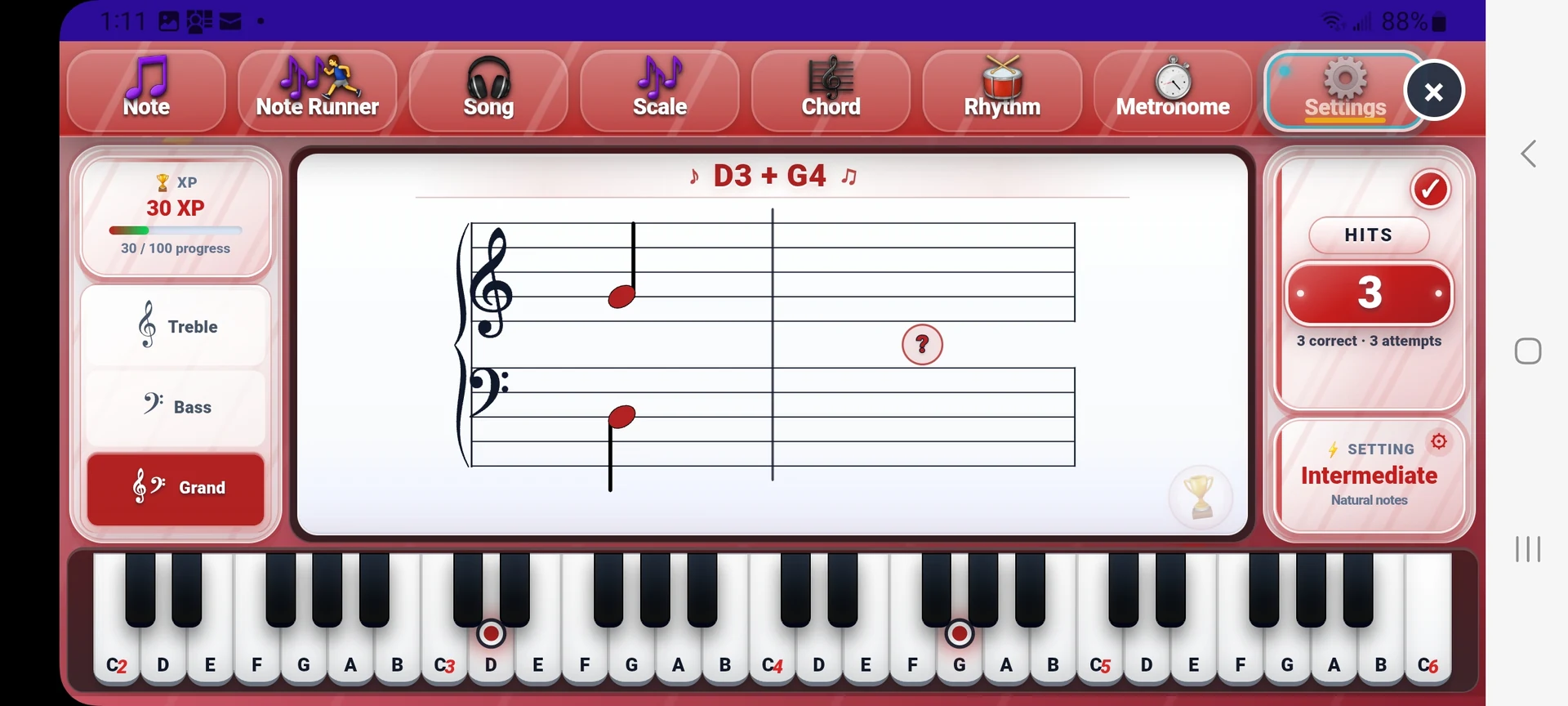
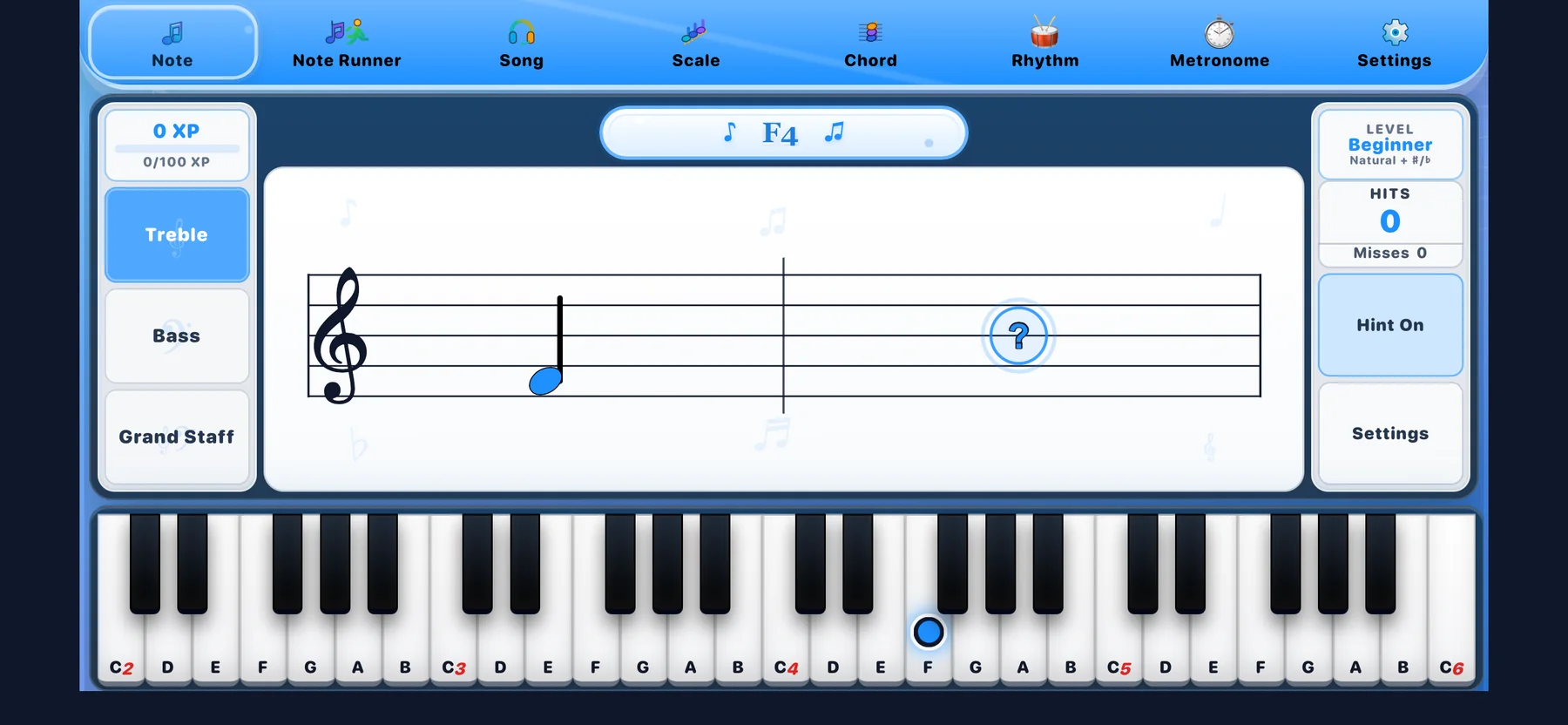
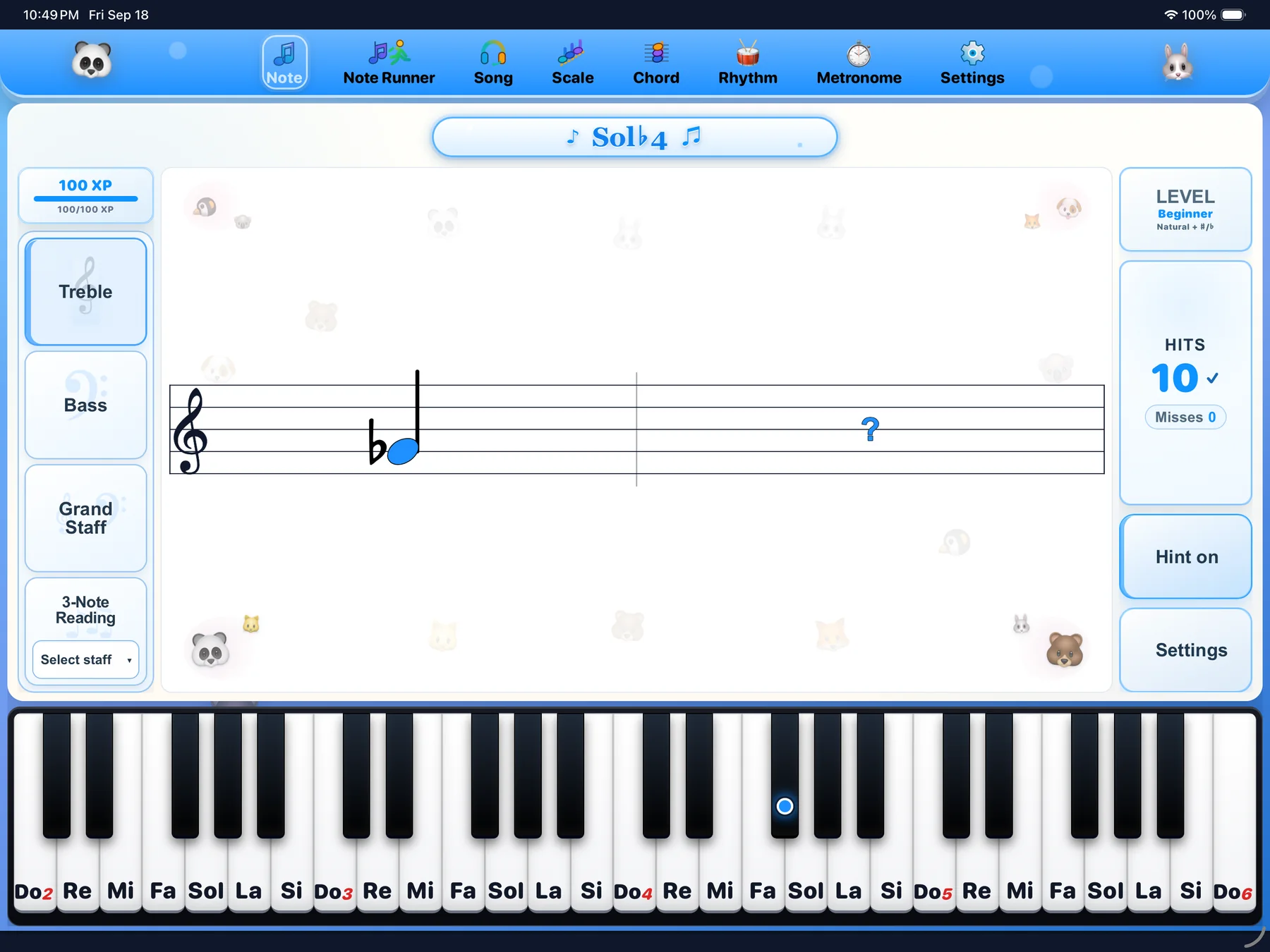
Practise treble, bass, and grand-staff notes as quick flashcards. The student sees one prompt, plays the matching key, and repeats until the staff-to-key connection feels faster. Note practice currently focuses on the C2 to C6 range.

Treble · Bass · Grand staff · C2 to C6 Learn about note practice
02

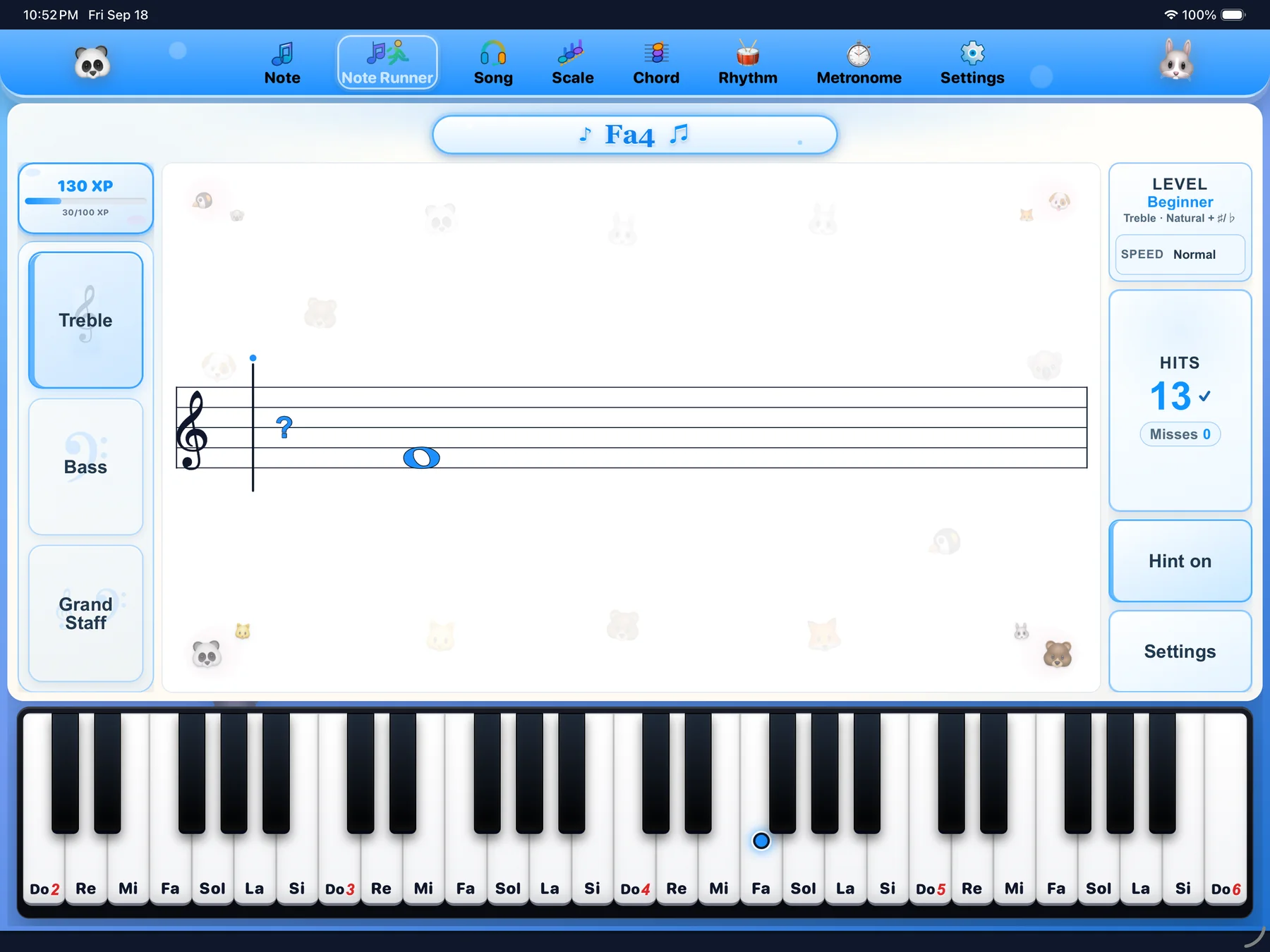
Note & Song Runners

Note Runner turns note reading into a moving challenge. Song Runner lets students choose a song, play it themselves in I play mode, or choose Play for me so 24Piano plays while the notation moves smoothly with the music.

Moving notes · Song collection · I play · Play for me
03

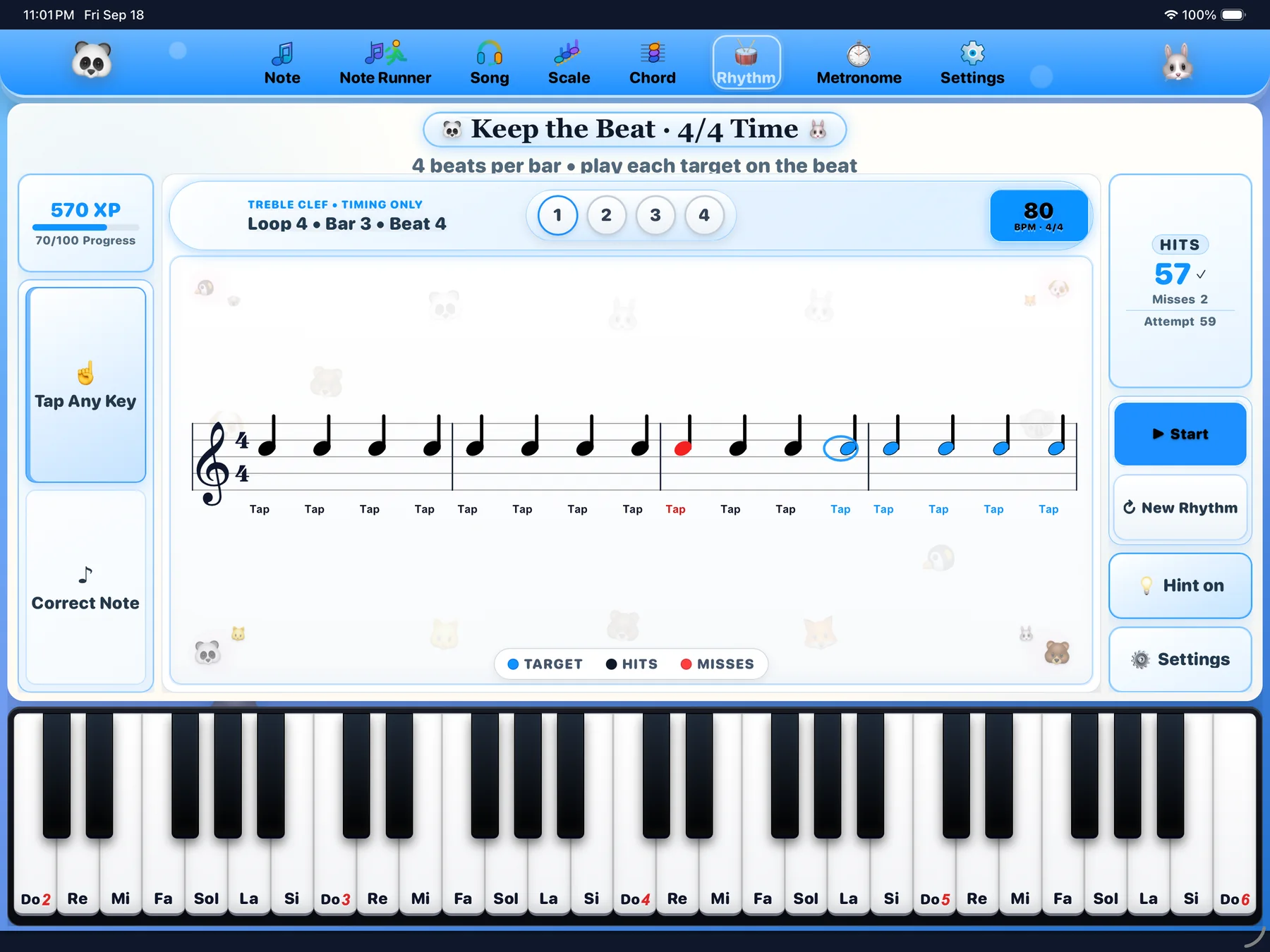
Rhythm

Practise rhythm in timing-only or correct-note mode. Students can tap any key, play the requested note on time, follow a short loop, and use BPM settings for 2/4, 3/4, 4/4, 5/4, and 6/8.

Tap any key · Correct note · BPM · 2/4 to 6/8
04 Flashcard practice

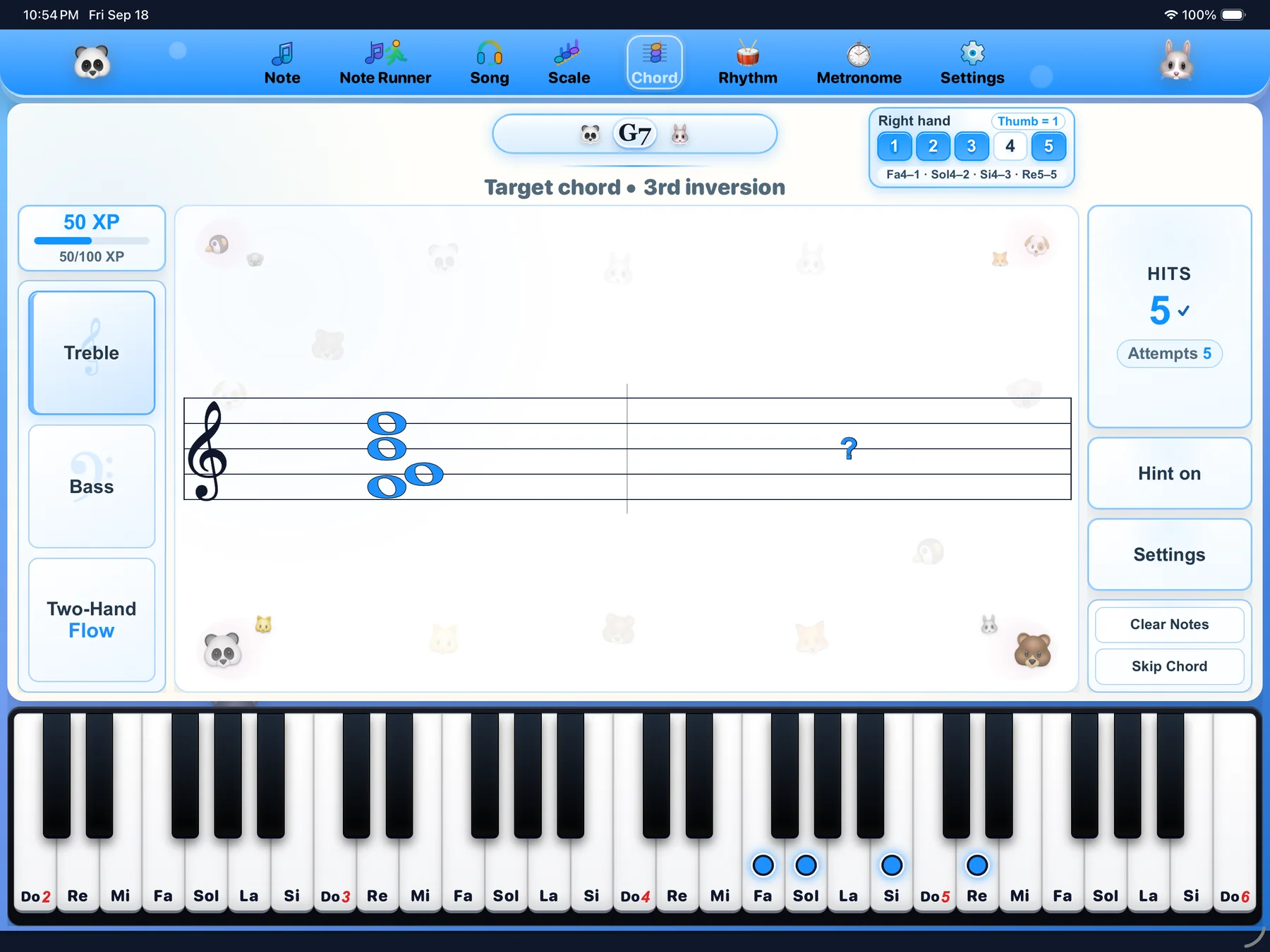
Chords & Inversions

Practise chord shapes in Standard mode or build coordination with Two-Hand Flow. 24Piano shows the target, detects the notes being held, and highlights the matching keyboard keys so students can compare what they played with the chord shape on the staff.

Detected chords · Standard · Two-Hand Flow · Inversions Learn about chord practice
05

Scales

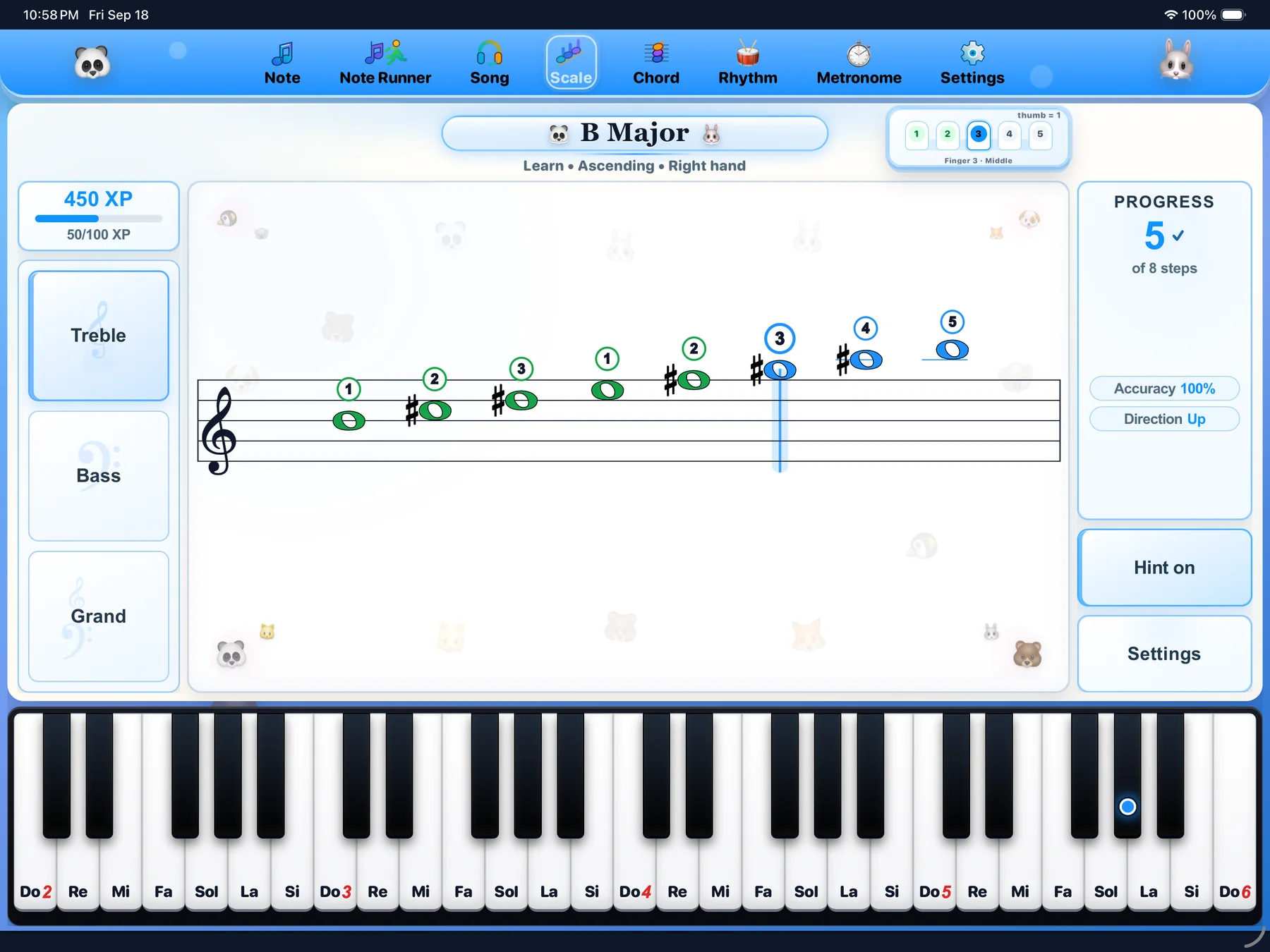
Choose the staff, hand, key, and direction, then practise scale patterns with notation and keyboard feedback. Students can work right hand, left hand, or both hands as the exercise level grows.

Settings · Right hand · Left hand · Both hands Learn about scale practice

See what practice
looks like.

Browse real screens from the 24Piano app—from note reading and runners to scales, chords, rhythm, and metronome settings. The showcase moves automatically, or you can explore it at your own pace.

24Piano main piano screen
Main screen

Main piano

Start with the on-screen piano, touch input, or a connected MIDI keyboard.

Screens are from the current app build and may continue to improve as 24Piano grows.

Play with touch input or a MIDI keyboard.

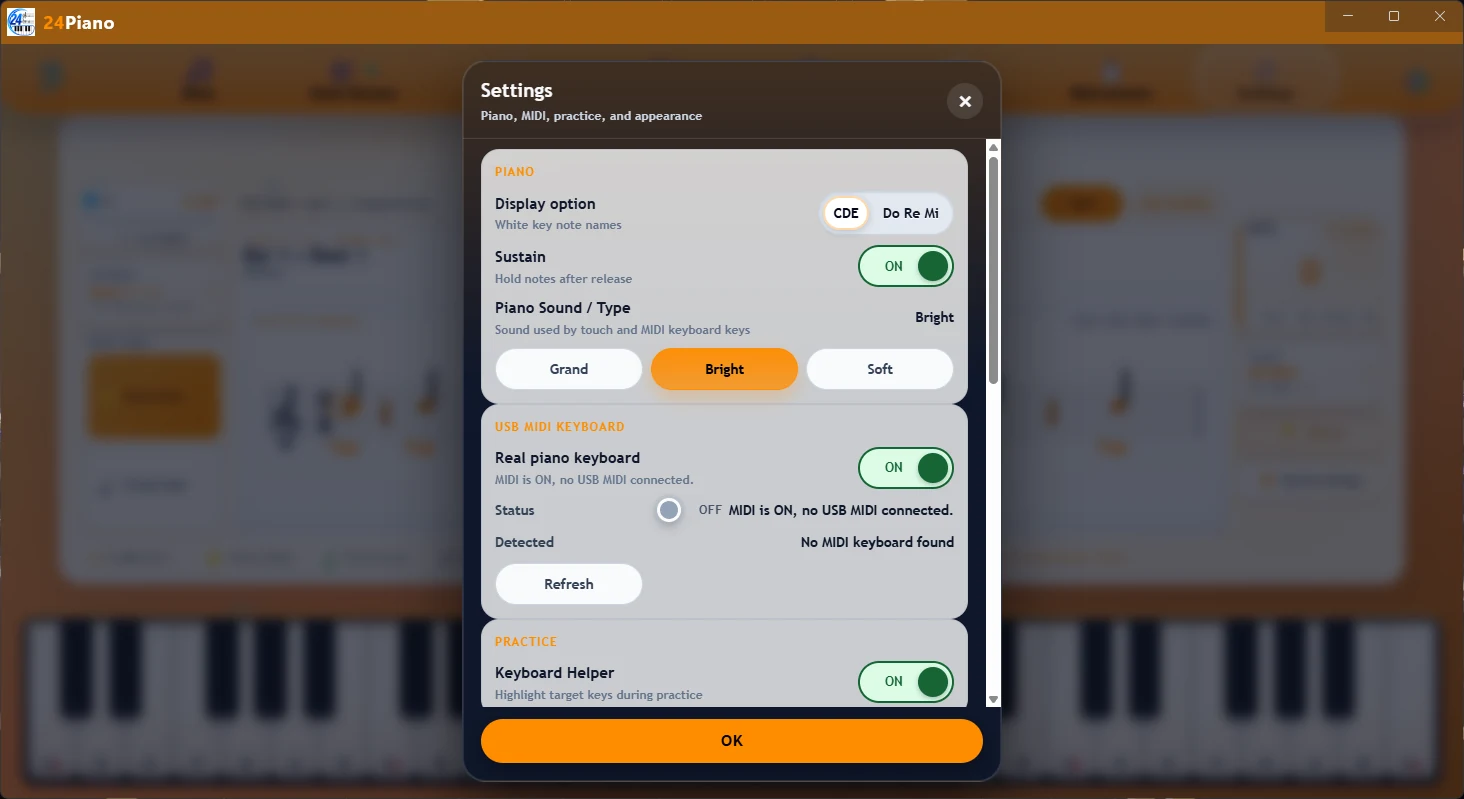
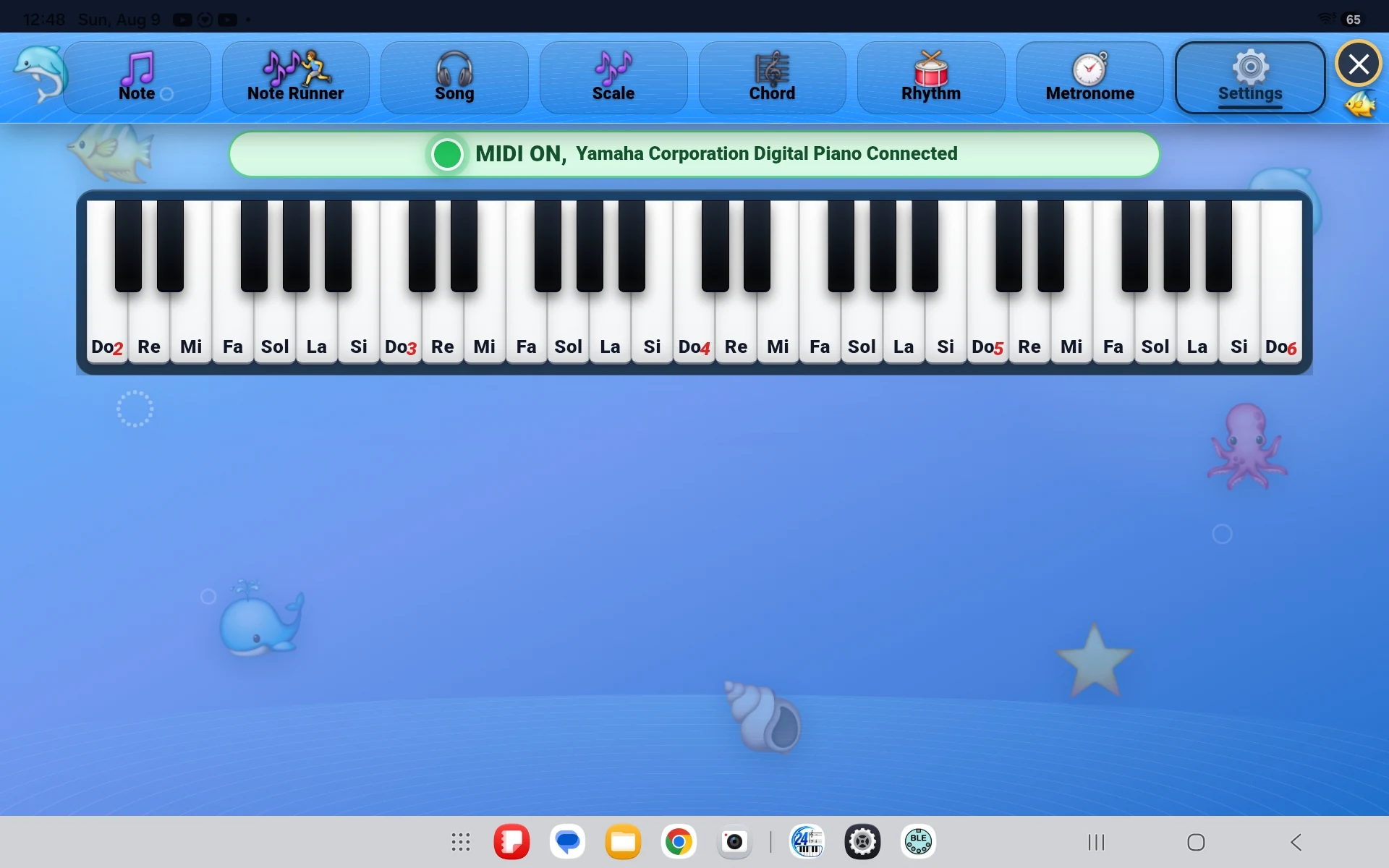
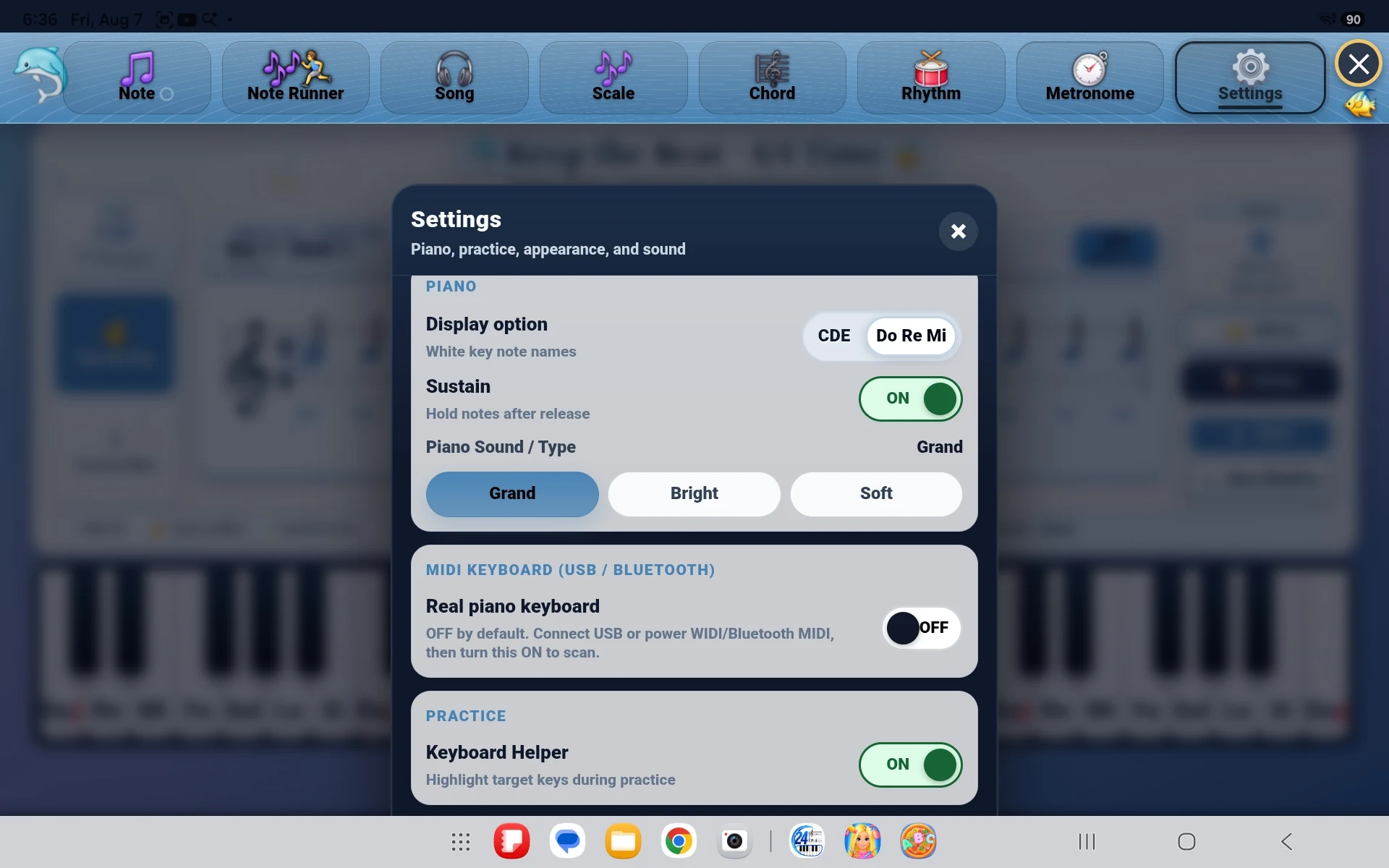
24Piano can be used with touch input, a USB MIDI connection, or a compatible Bluetooth MIDI keyboard. Choose the setup that works best for your instrument and device.

Bluetooth MIDI availability and compatibility can vary by device.
Read the MIDI keyboard setup guide

Touch

Use the on-screen input for quick practice anywhere.

USB MIDI

Connect a compatible MIDI keyboard with a cable.

Bluetooth MIDI

Practice wirelessly with compatible devices and keyboards.

Keep the pulse.
Choose the sound. Make it yours.

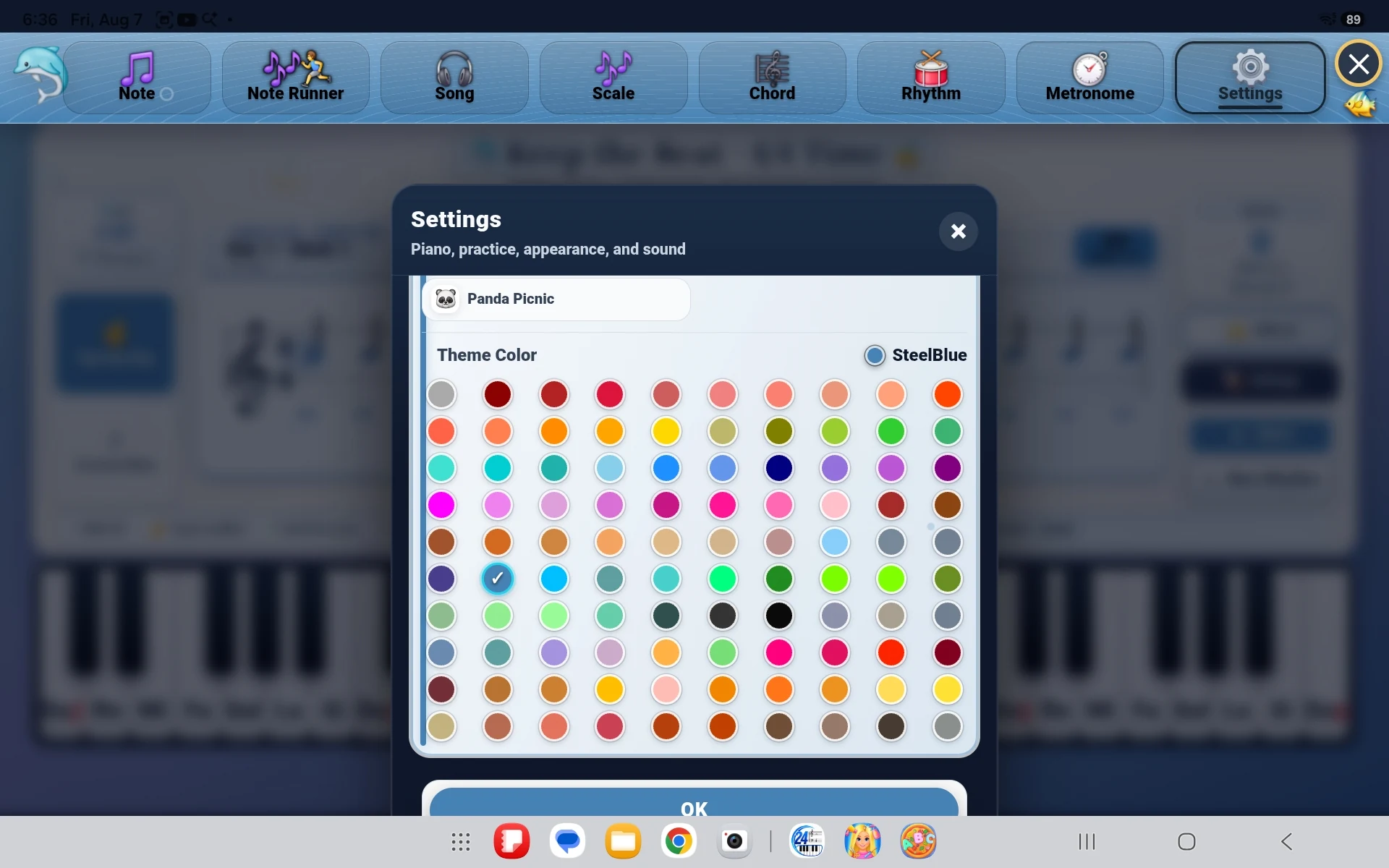
Helpful practice controls stay easy to reach without crowding the screen. Set a comfortable tempo, choose a piano sound, and personalize the app with a colour theme you enjoy seeing every day.

Built-in metronome

A steady beat at the right speed.

Adjust the tempo in BPM and practise with 2/4, 3/4, 4/4, 5/4, or 6/8. Start slowly for accuracy, then raise the tempo as the pattern becomes more secure.

96 BPM
Time signature 4/4
Piano sounds

Choose the piano sound you prefer.

Switch among Grand, Bright, and Soft. Choose the sound that feels best for the current practice session, then return your attention to the exercise.

Selected: Grand Balanced and familiar for everyday practice

Appearance Preview the 24Piano colour themes Open the theme studio only when you want to explore it. View themes
Appearance

A colour theme that feels like yours.

Choose from a broad collection of accent colours. Select a swatch to preview how the colour can shape the app header, active controls, flashcards, progress details, and keyboard highlights.

Selected theme Dodger Blue #1E90FF

The collection is grouped to keep the choice simple. Every colour from the current 24Piano list is included.

Live app preview Tap a colour to try it
24Piano
Note Flashcards 8 / 12
Notes Chords Rhythm
Find this noteTreble staff
Play the matching key
96 BPM Meter Grand

A visual concept of how the selected accent colour can appear inside 24Piano.

Buy once.
Keep practicing.

Purchase the current 24Piano app once—without a recurring subscription. Supported updates can include bug fixes, improvements, and new practice content while the current app is supported.

Store buttons are disabled until the official releases are ready.

Purchase & availability details

One purchaseNo recurring subscription for the current supported app.

Multiple platforms plannedWindows, Android, iPhone, iPad, and macOS.

Updates includedSupported fixes, improvements, and new practice content.